
Technical SEO
Technical SEO is essential for the performance of a website in search engines. Technical SEO is concerned with optimising the technical aspects of a website so that search engines such as Google can crawl, understand and index the site more easily. Technical SEO improves website structure, speed and usability by working behind the scenes on the website. Technical SEO is different than on-page SEO (content and keyword-focused) or off-page SEO (i.e., backlink-focused) in the sense that technical SEO refers to the technical aspects of a website, whereas on-page SEO and off-page SEO refer to content-based and link-based aspects, respectively.When a website has been technically optimised, it will make it easier for search engines to locate your content and ultimately reward it with better visibility.
Understanding How Search Engines Work
Search engines function as a bridge between people, and the internet. They connect users’ queries with the best answer from all the available sources of information found on the internet.Scans the Web Search engines continually crawl across the web to find new and updated content by moving from one page to another via links and URLs.Sorts Pages Search engines then sort all pages they find into a database (index by keyword, category, etc) which allows the search engines to retrieve the information as needed quickly.Matches User Queries When a user enters a search query into the search engine, the search engine compares the search query to the match (longest) to find the most relevant results.
Website Speed Optimization
A website speeds up when a web page can be opened without any delay by both visitors and search engines. A website that loads quickly provides visitors with a smooth browsing experience and allows them to access the information they want in a timely manner. When a website has slow loading times, it will lose visitors quickly, which increases its bounce rate and will have an impact on overall performance. From an SEO point of view, Google takes speed into account when ranking websites, especially on mobile devices. In addition, faster-loading websites are easier for search engines to crawl and index, which will increase their chances of appearing on search engine results pages.
Why Website Speed Matters
The speed of a website is one of the most important factors affecting both the user experience of a website and its ability to convert users into customers. A website that loads quickly will keep a visitor on that site longer, keep them engaged, and cause them to click on multiple pages of that site before taking an action. A website that loads slowly will frustrate the user, and reduce the user’s trust in the site they are visiting, leading to fewer conversions. Google wants to deliver the best websites to users on the search engine results page, so optimizing a website for speed will also improve its ranking and organic traffic.
Image Optimization
Images are one of the primary causes of websites being slow to load. When the size and quality of images on a website are large and uncompressed, the website’s page will have a larger than necessary file size and will take longer to load. There are many ways to optimize images, including using image compression, using the new and better WebP image format instead of standard image formats, and serving the correct size of images to a website’s visitors. Another way to optimize images is to use lazy loading, which only loads the images that a user is currently viewing on a website at the time the user is viewing those images.
HTTPS and Website Security
HTTPS means Hypertext Transfer Protocol Secure. It’s a secure use of the HTTP protocol to protect data being transferred from a user’s web browser to a site. SSL/TLS encryption keeps information such as passwords, login credentials, and payment information safe from hackers. When a website uses HTTPS (the secure protocol), it displays a padlock symbol in the web browser, allowing users to feel confident when using that site.
Why HTTPS is Important to SEO
Google has a preference for websites that are secure. Browser indications of “not being secure” can turn users off and lead to increased bounce rates. A secure website creates a better user experience, resulting in an increase in user trust and engagement. Additionally, using HTTPS to protect against attacks like data breaches or reaching your server through Man in the Middle (MITM) will improve the likelihood of search engines crawling and indexing your site than if it is not secure.
What an SSL Certificate Does
SSL (Secure Sockets Layer) establishes the SSL connection for your website. An SSL certificate is how you turn on HTTPS-based security. An SSL certificate encrypts the information sent between a user’s browser and your server so that other parties cannot read what is being transferred. An SSL certificate also establishes your website as a legitimate or valid web location.
How XML Sitemaps Help Search Engines
Search engines use XML sitemaps to find content and understand the website structure better. When a website has a lot of pages some pages can be missed when search engines are looking at the website. A good XML sitemap reduces this risk by listing all the pages in one place. This helps search engines recognize updated pages, which can lead to faster indexing.
XML sitemaps do not guarantee that the website will rank higher in search results. However XML sitemaps play a supporting role in Search Engine Optimization by improving how well search engines can look at the website.
Quality Over Quantity in Sitemaps
A good XML sitemap should focus on quality than listing every single page on the website. If the XML sitemap includes pages that’re not useful or pages that have the same content it can confuse search engines. The XML sitemap should only include pages that’re useful and original.
By including high-quality pages in the XML sitemap search engines can use their resources more effectively which improves how well they can index the website. This means search engines can find and list the websites pages in search results efficiently.
Best Practices for XML Sitemap Optimization
* Include important and high-quality pages in the XML sitemap.
* Do not include pages that are blocked from search results or pages with content.
* Use the version of the websites address for all pages in the XML sitemap.
* Do not include broken or redirected pages in the XML sitemap.
* Keep the XML sitemap organized and easy to read.
Using tools to automatically generate and update the XML sitemap can help avoid errors. Regular updates help search engines stay up to date with changes to the website. This is important for the websites pages to be indexed correctly.
Sitemap. Structure
There are limits to how large an XML sitemap can be and how pages it can include. For websites it is better to use multiple smaller XML sitemaps instead of one large file.
A special file called a sitemap index file can be used to manage XML sitemaps. This helps keep the XML sitemaps organized and makes it easier for search engines to find and index the websites pages.
Submitting and Monitoring XML Sitemap
The XML sitemap should be submitted to Google Search Console. This helps search engines find and index the websites pages.
The status of the XML sitemap should be checked regularly for any errors or warnings. Any issues with the XML sitemap should be fixed to ensure that the websites pages are indexed correctly.
If there are updates, to the website it may be necessary to ask search engines to re-index the websites pages. This ensures that the latest version of the websites pages is listed in search results.
Website Crawlability Check
A website crawlability check is very important because it makes sure that search engine bots can easily get to and read all the pages of your website. If search engines cannot crawl your site properly then your pages may not show up in search results.
You need to give search engines access to your website. Search engines should be able to get to your pages without any problems. If pages are blocked because of settings then search engines cannot find them or rank them.
You should review your robots.txt file. The robots.txt file tells search engines which pages they can crawl and which pages they cannot crawl. If you make a mistake in this file it can block important pages of your website.
Having an XML sitemap is also important. An XML sitemap helps search engines understand how your website is organized and find all the URLs quickly.
Your website needs an internal linking structure. Proper internal links help guide crawlers from one page to another. If a page does not have any links it is hard for search engine bots to find that page.
You should check the HTTP status codes of your website pages. Pages should return the status codes. If a page is broken or has a redirect loop it can stop search engine bots from crawling.
Your website pages should also load quickly. Be easy to access. If pages load slowly or use a lot of scripts search engine bots may skip them or fail to read the content.
You need to use data and schema markup, on your website. Search engines are smart. They still need help understanding what your website content means. Data and schema markup add extra meaning to your web pages so search engines know exactly what your content represents. This is where structured data and schema markup come in to help search engines understand your website content clearly.

How Schema Markup Improves Search Results
If implemented correctly, schema markups help your website obtain features that show up in searches on Google:
-Star ratings
-FAQ dropdowns
-Product prices
-Breadcrumb navigation
-Event details
These types of features allow your listing to stand out to users and allow them to be more inclined to click on it.
Most Popular Schema Types Used In SEO
Any of the following schema markups are frequently seen using search engine optimization (SEO):
-Article schema for blog content
-FAQ schema for content with questions
-Product schema for e-commerce sites
-Review schema for opinions or scoring
-Organization schema for a company
-Local business schema for local SEO
Core Web Vitals Optimization
Core Vitals optimization focuses on creating an excellent user experience on a website. Core Vital optimization helps improve page load speed by continuing to help pages to load more swiftly or respond more quickly to user actions while at the same time, not to causing the user to see numerous changes during the load operation. Three metrics used to measure optimizations are:
-Largest Contentful Paint (LCP) measures how quickly a page is loaded when requested.
-Interaction to Next Paint (INP) measures the time it takes for a page to react to any user activity.
-Cumulative Layout Shift (CLS) measures the movement of layout on the page while loading.
By optimizing these metrics, fewer users will exit your site, gain additional user engagement, and successfully comply with Google’s performance requirements.
Internal Linking Structure
The internal linking structure is concerned with linking pages, within the
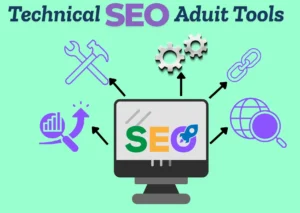
Search Console by Google is essential for: solving indexing and coverage problems, as well as accessing Core Web Vitals data from Google.
PageSpeed Insights and PageSpeed Lighthouse, two measuring tools for performance, accessibility, SEO metrics, and improvement suggestions.
Screaming Frog’s SEO Spider Tool (desktop) searches for broken links, redirects, duplicate pages, metadata problems, etc.
Ahrefs Site Audit Cloud-based tool recognizes technical issues and SEO status across the entire site.
SEMrush Site Audit Comprehensive coverage scans of a site and priority based reports providing trend analysis on issues found.
Agile crawlers and automation tools, such as sitebulb provide visualisation of the crawl results, along with actionable insights, providing recommendations for improvement through a format easy to digest for any level.
Lumar (previously DeepCrawl) is an enterprise crawler designed for large / complex sites.
GTMETRIX provides an in-depth analysis of “performance”, along with “waterfall” and “speed” analysis.
Tools for SEO include the following:
Redirect Path (Chrome Extension) allows for the verification of a website’s HTTP status codes and redirect path quickly.
Mobile-Friendly Testing Report provides an assessment of whether a page has been optimised for mobile.
Schema Markup Validation Report provides evidence of an implementation of “structured data”.
Canonical Tag Implementation
Canonical Tags are a type of tags used to inform search engines about which version of a web page is considered the primary and preferred version. They are a way to prevent duplicate content problems as the same page can be accessed by different URLs. Canonical tag implementation can also assist search engines determine the preferred page to reference and to send signals to rank all traffic associated with that page to a single point.

Robots.txt File Best Practices
The Robots.txt file is an essential tool for search engines to identify which pages on your website they can crawl and likewise the pages on your site they cannot crawl. Properly using Robots.txt on your site can help with better crawlability and SEO performance.
Place the Robots.Txt File in the Root Directory
The robots.txt file must be located in your website’s root directory (i.e., yourwebsite.com/robots.txt). If it’s located in another location on your web server, the search engines may not crawl it.
Use Correct Syntax
Robots.txt files are constructed using very simple rules defined in a specific format. A simple mistake in your syntax could result in blocking the crawling of important pages on your website. Be sure to double-check for spelling, symbols, and spaces.
Allow Access to Important Pages
Be certain to allow crawling of your important pages, which include your blog pages, product pages, and service pages as blocking any of these pages could negatively impact your rankings.
Block Low-Quality or Private Pages
Robots.txt files can be utilized to block access to URLs of pages that should not be indexed in Search Engines below are examples of such pages:
Admin Pages
Login Pages
Thank-you Pages
Filtered or Duplicated URL
By doing so, you allow search engines to focus on the content of the pages of your website that are of the most value.
Use the User-Agent Directive Properly
When defining rules in your robots.txt file, you can choose to apply to all or some Search Engines. For example:
User-agent: * → rules would apply to all search engines.
User-agent: googlebot → rules would only apply to Google. Do not block CSS and Javascript Files

