
Technical SEO

Technical SEO is the foundation of a website’s search engine performance. It focuses on optimizing the technical aspects of a website so search engines like Google can easily crawl, understand, and index your pages. Unlike on-page SEO (content and keywords) and off-page SEO (backlinks), technical SEO works behind the scenes to improve website structure, speed, and accessibility.
A technically optimized website helps search engines find your content faster and rank it more effectively. Key areas of technical SEO include website speed, mobile-friendliness, secure HTTPS connections, clean URL structure, XML sitemaps, robots.txt files, and fixing crawl errors.
Understanding How Search Engines Work
Search engines act like a bridge between people and information. They connect questions with the most useful answers available on the web.
Scanning the Web Search engines continuously scan websites to discover new and updated content. They move from page to page using links and URLs.
Organizing Content All discovered pages are sorted and stored based on topics, keywords, and relevance. This helps search engines quickly retrieve information when needed.
Matching User Queries When a user types a search query, the search engine compares it with stored pages to find the closest match.
Deciding Order Pages are then arranged based on usefulness, trust, and user experience. The better the page quality, the higher it appears.
Delivering Answers The final step is delivering the most accurate and helpful results directly to the user.
Quick takeaway: Search engines scan → organize → match → rank → deliver information.
Website Speed Optimization
Website speed optimization means improving how fast a website loads for users and search engines. A fast website creates a smooth browsing experience and helps visitors access content without delay. Slow-loading websites often lose visitors quickly, which increases bounce rate and affects overall performance. From an SEO point of view, Google considers website speed an important ranking factor, especially for mobile searches. Faster websites are easier for search engine bots to crawl and index, which helps improve visibility in search results.
Why Website Speed Is Important
Website speed is important because it directly affects user experience and engagement. When a website loads quickly, users are more likely to stay, explore multiple pages, and take action. Slow websites frustrate users and reduce trust, which can lead to fewer conversions. Google aims to show high-quality and fast websites in top search results, so speed optimization helps improve rankings and organic traffic.
Image Optimization
Images are one of the main reasons websites become slow. Large and uncompressed images increase page size and loading time. Image optimization includes compressing images, using modern formats like WebP, and serving images in the correct size. Lazy loading images also helps by loading images only when they appear on the screen. Proper image optimization improves speed on both desktop and mobile devices.
Code and File Optimization
Code optimization helps reduce the load time of web pages. Minifying CSS, JavaScript, and HTML removes unnecessary spaces and code, making files smaller. Removing unused scripts and reducing third-party resources also improves performance. Clean and optimized code allows browsers to load pages faster and improves website speed.
Hosting and Server Performance
Hosting and server quality play a big role in website speed optimization. Slow servers increase page loading time even if the website is well optimized. Choosing a reliable hosting provider and optimizing server settings can reduce server response time. Fast servers help users and search engines access website content quickly.
HTTPS and Website Security
HTTPS stands for HyperText Transfer Protocol Secure. It is a secure version of HTTP that protects data exchanged between a user’s browser and a website. HTTPS uses SSL/TLS encryption to keep sensitive information such as passwords, login details, and payment data safe from hackers. Websites that use HTTPS show a padlock icon in the browser, which helps build trust with users. Google also considers HTTPS a ranking factor, so secure websites have a better chance of ranking higher in search results.

Importance of HTTPS for SEO
HTTPS is important for SEO because Google prefers secure websites. Non-HTTPS websites may be marked as “Not Secure” by browsers, which can scare users and increase bounce rate. Secure websites provide a safer experience, which improves user trust and engagement. HTTPS also helps protect website data from attacks like data theft and man-in-the-middle attacks. Using HTTPS ensures that search engines can crawl and index your website safely and effectively.
SSL Certificate and Its Role
An SSL (Secure Sockets Layer) certificate is required to enable HTTPS on a website. It encrypts data so that it cannot be read by unauthorized users. SSL certificates verify the identity of a website and ensure secure communication. There are different types of SSL certificates, such as single-domain, multi-domain, and wildcard certificates. Installing a valid SSL certificate is a basic but essential step for website security and SEO.
Website Security and User Trust
Website security plays a major role in building user trust. When visitors see a secure padlock and HTTPS in the URL, they feel more confident sharing personal information. Secure websites reduce the risk of hacking, malware, and data breaches. A safe website encourages users to stay longer and interact more, which positively impacts SEO performance.
HTTPS and Data Protection
HTTPS helps protect data from being intercepted or modified during transmission. This is especially important for websites that collect user information, such as contact forms, login pages, and online stores. By encrypting data, HTTPS ensures privacy and prevents unauthorized access. Data protection is not only important for users but also for maintaining a website’s credibility and search engine trust.
How XML Sitemaps Help Search Engines
Search engines use XML sitemaps to discover content faster and understand website structure better. When a website has many pages, categories, or blog posts, some pages can be missed during crawling. A well-structured sitemap reduces this risk by listing all important pages in one place. It also helps search engines recognize updated or newly published pages, which can lead to quicker indexing. Although a sitemap does not guarantee rankings, it plays a strong supporting role in SEO by improving crawl coverage.
Quality Over Quantity in Sitemaps
An optimized XML sitemap should focus on quality rather than listing every possible URL. Including low-value pages, duplicate URLs, or pages blocked by noindex tags can confuse search engines. A clean sitemap should only contain pages that are useful, original, and intended to appear in search results. By limiting the sitemap to high-quality pages, search engines can spend their crawl budget more effectively, which improves indexing performance.
Best Practices for XML Sitemap Optimization
Include only important, high-quality, and indexable pages.
Exclude pages with noindex tags, duplicate content, or low SEO value.
Use the correct HTTPS version of all URLs.
Avoid broken, redirected, or non-canonical URLs in the sitemap.
Keep the sitemap structure clean and organized.
Keeping the XML Sitemap Updated
Update the sitemap whenever new pages are added or old pages are removed.
Ensure that URL changes are reflected correctly in the sitemap.
Use automatic sitemap generation tools or plugins to avoid errors.
Regular updates help search engines stay aligned with website changes.
Sitemap Size and Structure
Follow search engine limits for sitemap size and number of URLs.
Use multiple sitemaps for large websites instead of one large file.
Create a sitemap index file to manage multiple sitemaps efficiently.
Organized sitemaps improve crawl performance.
Submitting and Monitoring XML Sitemap
Submit the XML sitemap in Google Search Console.
Monitor indexing status, errors, and warnings regularly.
Fix sitemap-related issues to maintain healthy indexing.
Request re-indexing after major website updates if needed.
Website Crawlability Check
A website crawlability check ensures that search engine bots can easily access, read, and move through all important pages of your website. If search engines can’t crawl your site properly, your pages may not appear in search results.
Clear Access for Search Engines Search engines should be able to reach your pages without restrictions. Pages blocked by incorrect settings cannot be discovered or ranked.
Robots.txt Review The robots.txt file tells search engines which pages they can or cannot crawl. A small mistake here can block important pages.
XML Sitemap Availability An XML sitemap helps search engines understand your site structure and find all important URLs quickly.
Internal Linking Structure Proper internal links guide crawlers from one page to another. Orphan pages (pages with no links) are hard for bots to find.
HTTP Status Codes Check Pages should return correct status codes. Broken pages (404 errors) or redirect loops can stop crawlers.
Page Load Accessibility If pages load too slowly or rely heavily on scripts, crawlers may skip or fail to read the content.
Structured Data & Schema Markup
Search engines are smart, but they still need help understanding website content clearly. This is where structured data and schema markup come in. They add extra meaning to your web pages so search engines know exactly what the content represents.

How Schema Markup Improves Search Results
When schema markup is added correctly, your website may appear with extra features in Google, such as:
Star ratings
FAQ dropdown
Product prices
Breadcrumb navigation
Event details
These features make your listing stand out and encourage users to click.
Popular Schema Types Used in SEO
Article schema for blog post
FAQ schema for question-based conten
Product schema for e-commerce page
Review schema for ratings and feedback
Organization schema for brand information
Local business schema for local SEO
Core Web Vitals optimization
Core Web Vitals optimization focuses on improving the real user experience of a website by making pages load faster, respond quicker to user actions, and remain visually stable while loading. It mainly works on three metrics: Largest Contentful Paint (LCP), which measures loading speed; Interaction to Next Paint (INP), which checks how fast a page reacts to user input; and Cumulative Layout Shift (CLS), which tracks unexpected layout movement. Optimizing these metrics helps reduce bounce rate, improve user engagement, and meet Google’s performance standards, making the website more user-
Internal linking structure
Internal linking structure refers to how pages within the same website are connected using links. A well-planned internal linking structure helps search engines understand the relationship between pages and allows link authority to flow across the site. It also improves user experience by guiding visitors to related and important content, increasing time on site and reducing bounce rate. Proper internal linking supports better crawling, indexing, and overall SEO performance by highlighting key pages and creating a clear website hierarchy.
Connects pages within the same website
Helps search engines crawl and index pages easily
Passes link authority to important page
Improves website structure and hierarchy
Enhances user navigation and experience
Increases time spent on sit
Reduces bounce rate
Uses relevant and descriptive anchor text
Supports better SEO performance
Technical SEO Audit Tools
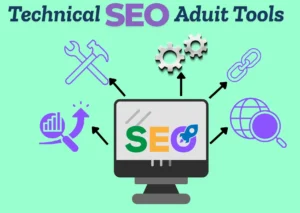
Google Search Console – Free, essential for indexing issues, coverage, and Core Web Vitals data directly from Google.
PageSpeed Insights / Lighthouse – Measures performance, accessibility, SEO metrics and gives improvement suggestions
Screaming Frog SEO Spider – Desktop crawler that finds broken links, redirects, duplicate pages, metadata problems, and more.
Ahrefs Site Audit – Cloud-based crawler that identifies technical issues and SEO health across a site.
SEMrush Site Audit – Comprehensive site scanning with prioritised issue reports and trend tracking.
Powerful Crawlers & Automation
Sitebulb – Visual crawler with actionable insights and easy-to-digest recommendations.
Lumar (formerly DeepCrawl) – Enterprise-scale crawler ideal for large, complex sites.
GTmetrix – Deep performance testing with waterfalls and speed diagnostics.
Additional Helpful Tools
Redirect Path (Chrome Extension) – Quickly checks HTTP status codes and redirect chains.
Mobile-Friendly Test – Checks if pages are optimized for mobile devices.
Schema Markup Validator – Validates structured data implementation.
Canonical Tags Implementation
Canonical tags are used to tell search engines which version of a webpage is the main and preferred one. They help avoid duplicate content issues when the same page is accessible through multiple URLs. Proper implementation of canonical tags ensures that search engines index the correct page and pass all ranking signals to a single URL, improving overall SEO performance.
Identify the preferred version of the webpage
Add a canonical tag in the <head> section of the page.
Use absolute URLs instead of relative URLs.
Apply self-referencing canonical tags on main pages
Ensure the canonical URL returns a 200 status code.
Avoid using multiple canonical tags on a single page.
Do not point canonical tags to redirected or broken URLs.
Keep content similar across canonicalized pages.
Indexing Optimization Checklist
Check Pages Indexed in Google
Use Google Search Console or type site:yourwebsite.com in Google to see which pages are indexed. This helps you confirm that important pages appear in search results.
Submit XML Sitemap Create an XML sitemap and submit it in Google Search Console. A sitemap helps search engines find and index your pages faster and more accurately.
Use Robots.txt Correctly
Check your robots.txt file to make sure important pages are not blocked. Avoid disallowing pages you want Google to index.
Fix Noindex Issues
Review pages with noindex tags. Remove the noindex tag from pages you want to appear in search results, such as blog posts and service pages.
Optimize Canonical Tags
Use canonical URLs to avoid duplicate content issues. This tells search engines which version of a page should be indexed.
Improve Internal Linking
Add proper internal links so search engines can easily discover and crawl new or deep pages on your website.
Check Crawl Errors
Monitor crawl errors in Google Search Console. Fix broken pages, server errors, and redirect issues to help Google index your site smoothly.
Ensure Mobile-Friendly Pages
Make sure your website is mobile-friendly, as Google mainly uses mobile-first indexing for ranking and indexing pages.
Improve Page Load Speed
Fast-loading pages are easier to crawl and index. Optimize images, reduce code size, and use caching to improve speed.
Request Indexing for New Pages
After publishing or updating content, use URL Inspection → Request Indexing in Google Search Console to speed up indexing.
Duplicate Content Issues
Duplicate content issues happen when the same or very similar content appears on multiple URLs, which can confuse search engines and weaken SEO performance. When search engines find duplicate content, they may struggle to decide which page should rank, leading to lower visibility for all versions. Common causes include URL variations, copied product descriptions, printer-friendly pages, and HTTP vs HTTPS versions. Duplicate content can be fixed by using canonical tags, setting up 301 redirects, improving content uniqueness, and properly handling parameters in URLs. Managing duplicate content helps search engines understand the main version of a page, improves crawl efficiency, and supports better search rankings.

Robots.txt File Best Practices
The robots.txt file helps search engines understand which pages of your website they can crawl and which pages they should avoid. Using it correctly is important for better website crawling and SEO performance.
Place Robots.txt in the Root Directory
Always keep the robots.txt file in your website’s main folder (example: yourwebsite.com/robots.txt). If it’s placed elsewhere, search engines may ignore it.
Use Correct Syntax Robots.txt follows a simple rule format. Even a small mistake can block important pages. Always double-check spelling, symbols, and spacing.
Allow Important Pages Make sure key pages like blog posts, product pages, and service pages are not blocked. Blocking important pages can hurt your rankings.
Block Low-Value or Private Pages Use robots.txt to block pages that don’t need to appear in search results, such as:
Admin pages
Login pages
Thank-you pages
Filter or duplicate URLs
This helps search engines focus on your valuable content.
Use User-Agent Properly
You can give rules for all search engines or specific ones.
Example:
User-agent: * → applies to all search engines
User-agent: Googlebot → applies only to Google
Don’t Block CSS and JavaScript Files
Search engines need CSS and JavaScript files to understand how your website looks and works. Blocking them can cause indexing issues.
Add XML Sitemap Link
Always include your XML sitemap URL in robots.txt. This helps search engines find and crawl your pages faster.
Avoid Blocking Pages You Want Indexed
Robots.txt blocks crawling, not indexing. If a blocked page has backlinks, it may still appear in search results. Use noindex tags when needed.
Test Robots.txt Regularly
Use Google Search Console’s robots.txt tester to check for errors and ensure important pages are accessible.
Keep It Simple
A clean and simple robots.txt file works best. Avoid adding too many rules that can confuse search engines.
Fixing Broken Links and Errors
Fixing broken links and errors is important for maintaining a healthy and SEO-friendly website. Broken links create a poor user experience, increase bounce rate, and make it difficult for search engines to crawl pages properly. Common issues include 404 page not found errors, server errors, and broken internal or external links. These problems can be fixed by updating incorrect URLs, setting up 301 redirects for removed pages, and replacing or removing broken external links. Regularly monitoring the website using SEO tools and Google Search Console helps identify errors early. By fixing broken links on time, websites improve usability, build trust, and maintain better search engine rankings.

