
ON Page SEO Checklist
On-Page SEO refers to optimizing the content and elements on a single web page to help it rank better in search engines and provide a good experience to users. It focuses on things you can control directly, like text, headings, images, and page structure.
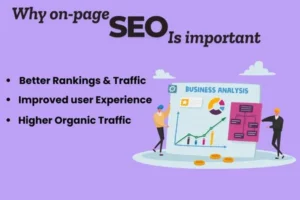
The Benefits Of On-Page SEO
On Page SEO has many advantages by helping search engines determine what a page is about. When a page is optimized with SEO friendly titles, headers, content and links, it makes it easier for them to index the page correctly and show it to someone searching for those keywords. Site visitors will also have more of a positive experience on the site since they will be presented with valuable, well-structured information in ways that are easy to understand.
Provides search engine bots with clear indications of what your page contains and how it fits into the overall SEO strategy.
Helps your page rank higher when someone enters an inquiry into the search engines containing a keyword(s) relevant to the content on your page.
Improves the user experience because the overall content is well-organized and easy to understand.
Increases users’ ability to discover your content via SEO friendly titles.
Decreases the percentage of visitors leaving your site without first becoming engaged due to being unable to locate what they were searching for once they arrived at your page.
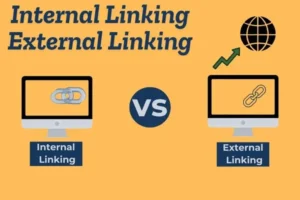
Internal Linking
A website that has internal links directs its visitors to pages within the same website, thereby helping web crawlers to index your website and find the most significant pages first.
The benefits of using internal links are:
1 – Improved website organisation and navigation
2 – Allows search engine crawlers to find new pages
3 – Distributes page authority across your website
4 – Increases user engagement and increases the amount of time a user spends on the website.
An external link is a hyperlink that links you to another appropriate and reputable website. n, write your description naturally and include your main keyword, but do not overuse it. The best meta-description is used between 150-160 characters.
Keyword usage refers to placing these selected keywords naturally within the webpage. The primary keyword should appear in important areas such as the title tag, headings, URL, meta description, and body content without overuse. Proper keyword usage helps search engines understand the page topic while maintaining readability and a positive user experience. Avoiding keyword stuffing and focusing on user intent ensures better engagement and long-term SEO success.
Identifying relevant keywords that users commonly search for
Analyzing search volume and competition to choose effective keywords
Selecting one primary keyword and related secondary keywords
Using keywords naturally in the title tag and meta description
Placing keywords in headings (H1, H2, H3) for better structure
Including keywords in the URL and body content
High-Quality and Useful Content
one website publishes high-quality content, its rankings will reflect the quality of the content by creating credibility and establishing trust with its readers.
Good-quality content can also help your website achieve higher organic search results. Websites that publish quality content will have strong inbound links and good traffic, which will increase the likelihood of being found by search engines. In addition, when users find quality content on a site, they will be more likely to share it with others.
The user is only interested in finding the answer they are looking for. If they find the answer on your site, they will be more likely to return to your site for future assistance. The reason a user will not return to a site for assistance is if they cannot find the information they were looking for or if they do not receive any help or there is a lack of quality content to answer their queries.
Quality content can improve your website’s visibility
because it will help establish trust with its visitors and create a positive impression of your website. Additionally, quality content will also help improve your website’s ranking in the search engines, which will ultimately help to attract additional visitors to your website.
Keyword Placement in Content
Placing keywords in the right locations within your content will allow your target audience to find your content easier, while also allowing search engines to determine what the topic is about so they can serve relevant pages to users looking for specific subjects. By placing keywords thoughtfully within your writing you will improve the chances of ranking higher in response to a query, as well as create a flow that doesn’t appear spammy or too rigid to read.
In addition to avoiding repeating a keyword multiple times throughout your content, you should concentrate on using keywords in a natural and intelligent manner.
Correct Keyword Selection
Selecting a primary keyword and several related or additional keywords should take place before writing any content. The keywords you select should be search terms users use when searching for information on a topic you wish to write about.
For instance, if I was writing an article on the “Importance of On-Page SEO Checklists”, my article would follow the subject matter of this phrase and its variations.
Where to Include Keywords Within Content
Keywords should be used in the following areas:
Title (H1): Tells search engines the subject of your article
First 100 words: Provides confirmation of the subjects relevance quickly
Headings (H2 and H3): Creates a structured format that aids in readability
Body: Incorporated naturally into the body of text
URL: If applicable, generate an SEO-friendly URL
Image Example Alt Tag: Helps with image and site accessibility.
Utilizing Keywords Organically
Your content should always provide the best user experience possible. Consequently, when writing the content, words must fit into the overall context of the sentence you are creating. If any of your chosen keywords appear awkward when fitting them into your sentences, please re-write those sentences so that
You placed keywords correctly may be able to avoid Google’s algorithm completely.
Image Optimization for SEO: Small Tweaks That Make a Big Difference
As everyone knows, images add interest to content, but improperly optimized images can have a detrimental effect on SEO. Images that are not quickly loaded, have unclear data associated with them or aren’t accessible can cause all of these issues as a result of improperly handled images; however, with some simple fixes, all of these issues are fixable.
Improperly optimizing images relates to improving the loading speed of web pages for users, as well as helping search engines easily identify what the images are about.
Speed Is Key
The largest single detriment to a website has to do with the size of the images (i.e., their file sizes). When users experience a long delay when attempting to load a page, they have typically left before any content has been displayed, and/or search engines are aware that the site is slow. By resizing and compressing the images prior to uploading them, page loading speeds will be improved. Therefore, faster web pages increase the likelihood of users having a better experience when they access the site, and a better user experience on the website will improve Google rankings.
Use Real Names For Your Images
As search engines lack the ability to “see” images, they rely on textual signals to determine the images’ meaning. The naming of images is very important and is not an issue that most people usually care about. When uploading images (i.e., using an image file name), avoid uploading images that are named with arbitrary numbers; rather, use concise, accurate, descriptive names for your images, making clear to search engines what the images actually contain.
Alt Text – Just Describe; Don’t Stuff
The alt text should be a descriptive account of the image itself and not merely a reiteration of keywords. When developing alt text, one sentence is more than enough to adequately describe what the images depict. By creating alt text for images, not only will the images be better optimized for search engines;
Optimize for Search Intent
User intent is the reason why someone searches online to find information they are looking for. For example, when a user types in some type of query with a specific goal (like looking up restaurants), that user will usually only want to know where they should eat. A good way for users to feel confidence when using the web is if the sites they find contain relevant content to their needs. This is accomplished by providing web pages that match what the user was looking for.
When search engines see users who are satisfied with their results, they show the pages that provided answers to the user’s request will magically appear at the top of the page. This can be accomplished through crawl, and indexing, and creating extremely relevant content. Websites need to know exactly what their customers want and how to present that content, otherwise the users will leave the website and continue their search elsewhere.
Page Load Speed
Page load speed is how fast a web page loads for the user. The faster a page loads for the user, the better the overall experience will be for the user as well. Page load speed is one of the most important elements that impact how a website ranks in search engines.
The bouncers of any given web site will continue to increase as page load speeds drop. Therefore, optimizing the page load speed is essential for SEO.
SEO & Page Speed
Websites that have outstanding page load speed are typically rewarded by search engines because they create a consistent and fast experience for users. The faster a website is to load, the more satisfied the user will be, thus resulting in improved mobile user experience, as well as overall satisfaction when using the site.
Best Practices for Page Speed Optimization
Improving page speed does not require complex changes. Simple optimizations can make a big difference:
Search engines will also return listings of web pages to the top of the search result page where previous users were satisfied with the answers returned to that query. Search engines achieve this by crawling and indexing the web pages and returning pages containing highly related content to the user’s query. In order for web site owners to effectively return these results, they must have a clear understanding of what content their potential customers want and how to deliver that content to them. Failure to accomplish this will result in users leaving the web site and continuing to search for the answer elsewhere.
Page Load Time
Page load time is defined as how quickly a web page displays to the end user. The faster a web page displays to the end user, the better the experience will be to that user. Page load time is one of the most influential factors to user satisfaction.

