
What Is a Canonical Tag in SEO?
A canonical tag is an HTML element used to tell search engines which version of a webpage is the main or preferred URL when there are multiple pages with identical or very similar content. It helps prevent duplicate content issues and ensures that search engines index the correct page.

The canonical tag is added inside the <head> section of a webpage and looks like this:
<link rel=”canonical” href=”https://www.example.com/preferred-page/” />
This small piece of code plays a major role in technical SEO.
Why Canonical Tags Are Important
Duplicate content can confuse search engines. For example, the same page may be accessible through:
- HTTP and HTTPS versions
- WWW and non-WWW versions
- URLs with tracking parameters (like ?utm_source=)
- Product pages under multiple categories
When search engines like Google see multiple versions of the same content, they may not know which one to rank. As a result, ranking signals such as backlinks and authority can get divided across different URLs.
A canonical tag solves this problem by telling search engines which URL should receive the full SEO value.
How a Canonical Tag Works
When search engine bots crawl a webpage, they check for the rel=”canonical” tag. If it exists, they treat the mentioned URL as the original version. This means:
- Ranking signals are consolidated to the canonical URL
- Duplicate pages are less likely to appear in search results
- The preferred page gains stronger visibility
However, canonical tags act as a strong suggestion, not a strict command. Search engines may ignore them if implemented incorrectly.
When Should You Use a Canonical Tag?
You should use canonical tags in situations like:
Duplicate Product Pages
Ecommerce websites often display the same product in different categories.
URL Parameters
Tracking codes and filters create multiple URLs with the same content.
Content Syndication
If your article is published on another website, a canonical tag can point to the original source.
Similar Blog Content
If you have very similar blog posts targeting related keywords, canonical tags can help clarify the main version.
Canonical Tag vs 301 Redirect
A canonical tag is different from a 301 redirect:
- Canonical Tag: Keeps multiple URLs accessible but signals the preferred one.
- 301 Redirect: Permanently sends users and search engines to a new URL.
Use a redirect when a page is no longer needed. Use a canonical tag when duplicate versions must remain live.
Understanding rel=”canonical” in SEO
The rel=”canonical” tag is an HTML element that tells search engines which version of a webpage should be treated as the main or preferred URL. When multiple pages contain the same or very similar content, search engines may struggle to decide which one to rank. The canonical tag solves this problem by clearly indicating the primary version that should appear in search results.
Why rel=”canonical” Is Important for Rankings
Search engines like Google aim to avoid showing duplicate pages in search results. If your website has multiple URLs with identical content—such as HTTP and HTTPS versions, WWW and non-WWW versions, or URLs with tracking parameters—your ranking signals can become divided. This means backlinks, authority, and relevance signals may spread across several URLs instead of strengthening one main page.
By using rel=”canonical”, you consolidate all SEO value into a single preferred URL, helping protect and improve your rankings.
Identifying Duplicate Content Issues
Before implementing a canonical tag, you need to identify pages that may create duplication. These can include filtered category pages, product pages listed under different categories, session-based URLs, or URLs with UTM parameters. Even small URL variations can cause search engines to treat them as separate pages. Recognizing these duplicates is the first step toward protecting your rankings.
How to Implement rel=”canonical” Correctly
Once you select the preferred URL, add the canonical tag inside the <head> section of the duplicate pages. The tag should contain the full absolute URL of the main version. It is also recommended to add a self-referencing canonical tag on the main page itself. This ensures clarity and consistency across your website and prevents future duplication issues.
Common Mistakes to Avoid
Incorrect implementation can weaken your SEO instead of strengthening it. Avoid pointing canonical tags to broken or redirected pages. Do not block canonical URLs in robots.txt. Also, make sure you do not place multiple canonical tags on the same page. These errors can confuse search engines and negatively impact indexing.
Monitoring and Testing Your Canonical Setup
After implementing rel=”canonical”, monitor your website using tools like Google Search Console. Check whether the correct URLs are indexed and ensure search engines are respecting your canonical signals. Regular monitoring helps maintain stable rankings and prevents technical SEO issues.
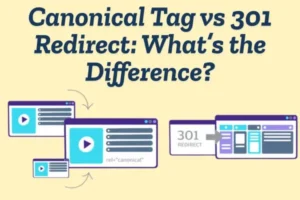
Canonical Tag vs 301 Redirect
When managing duplicate or similar URLs on a website, two common SEO tools are the canonical tag and the 301 redirect. While both help control how search engines handle multiple versions of a page, they function in different ways and are used in different situations.
What Is a Canonical Tag?
A canonical tag is an HTML element added inside the <head> section of a webpage. It tells search engines which version of a page should be treated as the main or preferred URL when similar content exists on multiple URLs.
The important thing to understand is that a canonical tag does not redirect users. All versions of the page remain accessible. The tag simply gives a signal to search engines like Google to consolidate ranking signals—such as backlinks and authority—into the chosen canonical URL.
In simple words, it says: “These pages are similar, but this one is the main version.”
What Is a 301 Redirect?
A 301 redirect is a permanent server-side redirect that automatically sends both users and search engines from one URL to another. When a 301 redirect is implemented, the old URL is no longer visible because visitors are instantly forwarded to the new one.
This redirect passes most of the SEO value from the old page to the new page and clearly tells search engines that the content has permanently moved.
In short, a 301 redirect removes the old page and replaces it with a new one.
Key Differences Between Canonical and 301 Redirect
The biggest difference is how they handle duplicate pages.
A canonical tag keeps multiple URLs live but signals which one should be indexed. A 301 redirect eliminates the duplicate by automatically sending traffic to a single URL.
Another difference is control. A 301 redirect is stronger because it forces both users and search engines to move to the new page. A canonical tag is more like a recommendation—it suggests the preferred page but does not completely remove other versions.
When to Use a Canonical Tag
You should use a canonical tag when duplicate pages need to stay accessible. This is common in situations like:
-
Product pages under different categories
-
URLs with tracking parameters
-
Filtered or sorted pages
-
Print versions of blog posts
In these cases, you want users to access different versions, but you want search engines to rank only one main page.
When to Use a 301 Redirect
A 301 redirect is best when a page has permanently moved or is no longer needed. For example:
-
Migrating from HTTP to HTTPS
-
Changing domain names
-
Deleting outdated pages
-
Fixing incorrect URLs
Here, you do not want the old page to exist anymore, so redirecting it is the better option.
Why Canonical Tags Matter for Duplicate Content Issues
Duplicate content is a common SEO challenge that can weaken your website’s search performance. When multiple URLs contain the same or very similar content, search engines may struggle to determine which version should be indexed and ranked. This confusion can dilute your SEO efforts and reduce your visibility in search results. Canonical tags play a critical role in solving this problem.
Understanding the Duplicate Content Problem
Duplicate content occurs when identical or near-identical content appears on more than one URL. This can happen for many reasons, such as HTTP vs HTTPS versions, WWW vs non-WWW formats, URL parameters, product filters, or content published under multiple categories.
Search engines like Google aim to show unique and valuable content to users. When they encounter duplicate pages, they must choose one version to display. If no clear signal is given, the search engine may select the wrong page—or split ranking signals between multiple versions.
How Duplicate Content Hurts SEO
Duplicate content does not usually result in a direct penalty, but it can negatively impact your rankings in several ways. First, backlinks and authority signals may be divided between different versions of the same page. Instead of building strength for one URL, your SEO value gets scattered.
Second, search engines may waste crawl budget by indexing duplicate pages instead of focusing on your most important content. This can slow down the indexing of new or updated pages.
Finally, duplicate pages may compete against each other in search results, reducing overall visibility.
How Canonical Tags Solve the Issue
A canonical tag tells search engines which URL is the preferred or original version of a page. By placing a rel=”canonical” tag in the HTML of duplicate pages, you guide search engines to consolidate all ranking signals to one main URL.
This ensures that backlinks, relevance, and authority are combined rather than split. As a result, the chosen page has a better chance of ranking higher and performing stronger in search results.
How Canonicalization Helps Google Understand Your Website Structure
Canonicalization is the process of telling search engines which version of a URL is the main one when multiple versions exist. It plays a key role in helping search engines clearly understand your website’s structure and hierarchy. Without proper canonicalization, your site can appear messy and confusing to search engines.

Reducing URL Confusion
Websites often create multiple URLs for the same content. For example, a page may be accessible through HTTP and HTTPS, with or without “www,” or with tracking parameters added to the URL. To a search engine like Google, these may look like separate pages—even if the content is identical.
Canonicalization removes this confusion by signaling which version is the primary one. This helps search engines focus on the correct URL instead of trying to decide between duplicates.
Strengthening Site Hierarchy
Every well-structured website has a clear hierarchy: homepage → categories → subcategories → individual pages. If duplicate URLs exist at different levels of this structure, it can weaken clarity.
By using canonical tags correctly, you reinforce which URLs belong in your main structure. This makes it easier for search engines to understand how your pages connect and which ones are most important.
Consolidating Ranking Signal
When multiple URLs exist for the same page, ranking signals such as backlinks and internal links may get divided. Canonicalization helps combine these signals into one preferred URL.
This consolidation strengthens the authority of that page and makes your website structure appear cleaner and more organized in search engine indexing systems.
Improving Crawl Efficiency
Search engines have a limited crawl budget for each website. If they spend time crawling duplicate URLs, they may ignore other important pages. Canonicalization helps guide crawlers toward the right pages, improving crawl efficiency and ensuring your key content gets indexed properly.
Advanced Canonical SEO Strategies for Large Websites & E-commerce Stores
Control Faceted Navigation URLs
Large e-commerce websites generate many URLs through filters like size, color, price, and brand. Use canonical tags to point filtered URLs to the main category page (when content is similar). This prevents duplicate content and protects ranking signals.
Manage Product Variations Properly
If product variations (color, size, model) have separate URLs but nearly identical content, choose one main product page as canonical. Point variation URLs to the primary version to consolidate authority and reviews into one strong page.
Use Self-Referencing Canonicals
Every important page should include a self-referencing canonical tag. This helps search engines clearly understand the preferred version of the URL and prevents future duplication issues.
Handle URL Parameters & Tracking Codes
Marketing campaigns often create parameter-based URLs (like ?utm_source=). Add canonical tags that point these URLs back to the clean, original version to avoid index bloat.
Search engines like Google may treat parameter URLs as separate pages if not handled correctly.
Be Careful with Pagination
For paginated category pages (page 1, page 2, page 3), usually use self-referencing canonicals instead of pointing all pages to page 1. This ensures deeper product listings can still be indexed.
How to Fix Canonical Errors in Google Search Console
Canonical errors in Google Search Console can prevent the correct version of your pages from being indexed. When search engines select a different canonical than the one you specified, it can affect rankings and visibility. Here’s how to identify and fix these issues step by step.

Identify the Canonical Issue
First, log in to Google Search Console and go to the Page Indexing report.
Look for statuses like:
-
Duplicate, Google chose different canonical than user
-
Alternate page with proper canonical tag
-
Duplicate without user-selected canonical
These messages indicate that search engines may not be following your canonical instructions.
Check Which URL Google Selected
Use the URL Inspection Tool inside Google Search Console. Enter the affected URL and check:
-
User-declared canonical
-
Google-selected canonical
If both are different, it means Google is ignoring your canonical tag. This usually happens due to conflicting signals.
Fix Conflicting Signal
Google may ignore your canonical tag if other SEO signals contradict it. Check for:
-
Internal links pointing to a non-canonical URL
-
Sitemap including the wrong version
-
301 redirects conflicting with canonical tags
-
HTTP vs HTTPS inconsistencies
-
WWW vs non-WWW mismatches
Make sure all signals consistently point to the preferred URL.
Ensure the Canonical Page Is Indexable
If your canonical URL is blocked by robots.txt, marked as noindex, or redirected, search engines may ignore it.
Confirm that the canonical page:
-
Returns a 200 status code
-
Is not blocked in robots.txt
-
Does not contain a noindex tag
-
Is accessible and crawlable
Search engines like Google will not choose a canonical page that cannot be properly accessed.
Use Self-Referencing CanonicalsAdd a self-referencing canonical tag on your main pages. This helps reinforce the correct version and prevents future duplication problems.
Update Your XML SitemapYour sitemap should only include canonical URLs. Remove duplicate or parameter-based URLs from the sitemap to avoid sending mixed signals.
Common Canonical Tag Mistakes That Hurt Your SEO
Canonical tags are powerful for managing duplicate content, but when implemented incorrectly, they can seriously damage your rankings and indexing. Below are some of the most common canonical tag mistakes that can hurt your SEO performance.
Pointing Canonical Tags to the Wrong URL
One of the biggest mistakes is setting the canonical tag to the wrong page. If you accidentally point multiple important pages to a single unrelated URL, search engines may ignore those pages completely. This can remove valuable content from search results.
Search engines like Google rely on clear signals. Incorrect canonical mapping creates confusion and weakens your site structure.
Canonicalizing to a Non-Indexable Page
If your canonical URL is blocked by robots.txt, marked as noindex, or redirected, search engines may ignore your canonical tag. The canonical page must be crawlable and indexable. Otherwise, it sends mixed signals and can cause indexing problems.
Using Multiple Canonical Tags on One Page
Adding more than one canonical tag on a single page creates conflicting instructions. Search engines may ignore both tags if they detect inconsistency. Always ensure only one canonical tag is present in the <head> section.
Canonical Chains and Loops
A canonical chain happens when Page A points to Page B, and Page B points to Page C. A canonical loop occurs when pages reference each other in a cycle. Both situations confuse search engines and dilute ranking signals. Always point directly to the final preferred URL.
Setting All Pages to the Homepage
Some website owners mistakenly canonicalize all pages to the homepage. This is a serious error. It tells search engines that only the homepage is important, which can result in other pages being deindexed.
Each unique page should have its own relevant canonical URL.
Ignoring Internal Linking Consistency
If your canonical tag points to one URL but your internal links point to another version, you create mixed signals. Search engines may choose a different canonical than the one you selected. Make sure internal links, sitemaps, and canonical tags all align.
You can monitor these signals using tools like Google Search Console.
Using Canonical Instead of Proper Redirects
A canonical tag is not a replacement for a 301 redirect. If a page is permanently removed or moved, you should use a redirect instead of relying only on canonical tags. Otherwise, outdated pages may remain accessible and cause duplication.
Best Practices for Implementing Canonical Tags in 2026
As websites become larger and more dynamic, canonical tags remain a critical part of technical SEO. In 2026, search engines are smarter, but they still rely on clear signals to understand which version of a page should be indexed. Following the right best practices ensures your canonical strategy protects rankings instead of harming them.

Always Use Self-Referencing Canonicals
Every important indexable page should include a self-referencing canonical tag. This confirms the preferred version of the URL and prevents duplication issues caused by tracking parameters, filters, or session IDs.
Even if there are no duplicate versions today, self-canonicals help protect your site from future URL variations.
Use Absolute URLs Always use full absolute URLs (including https:// and domain name) in your canonical tags. This avoids confusion and ensures search engines interpret the correct page as canonical.
Search engines like Google recommend clear and consistent canonical signals for better indexing accuracy.
Keep Canonical URLs Indexable
Your canonical page must:
-
Return a 200 status code
-
Not be blocked by robots.txt
-
Not contain a noindex tag
-
Not redirect elsewhere
If the canonical URL is not accessible, search engines may ignore your signal.
Align Canonicals with Internal Linking All internal links should point to the canonical version of each page. If your canonical tag says one thing but your internal links say another, it creates mixed signals and weakens your SEO structure.

