
Alt Text Examples: Best Practices + Mistakes to Avoid
An image is an important aspect of web design, content marketing, and user experience in the modern digital world. Nevertheless, images are not sufficient in order to ensure that a given site is accessible, search-friendly, and SEO-friendly. This is where the examples of the alt texts (alternative text) are really important.
Alt text assists the search engines in deciphering images, increases accessibility among the visually impaired people, and elevates the performance of the entire website. Alt text is an important aspect of websites, which is why most of the owners continue to abuse or even overlook it.
What Is Alt Text?
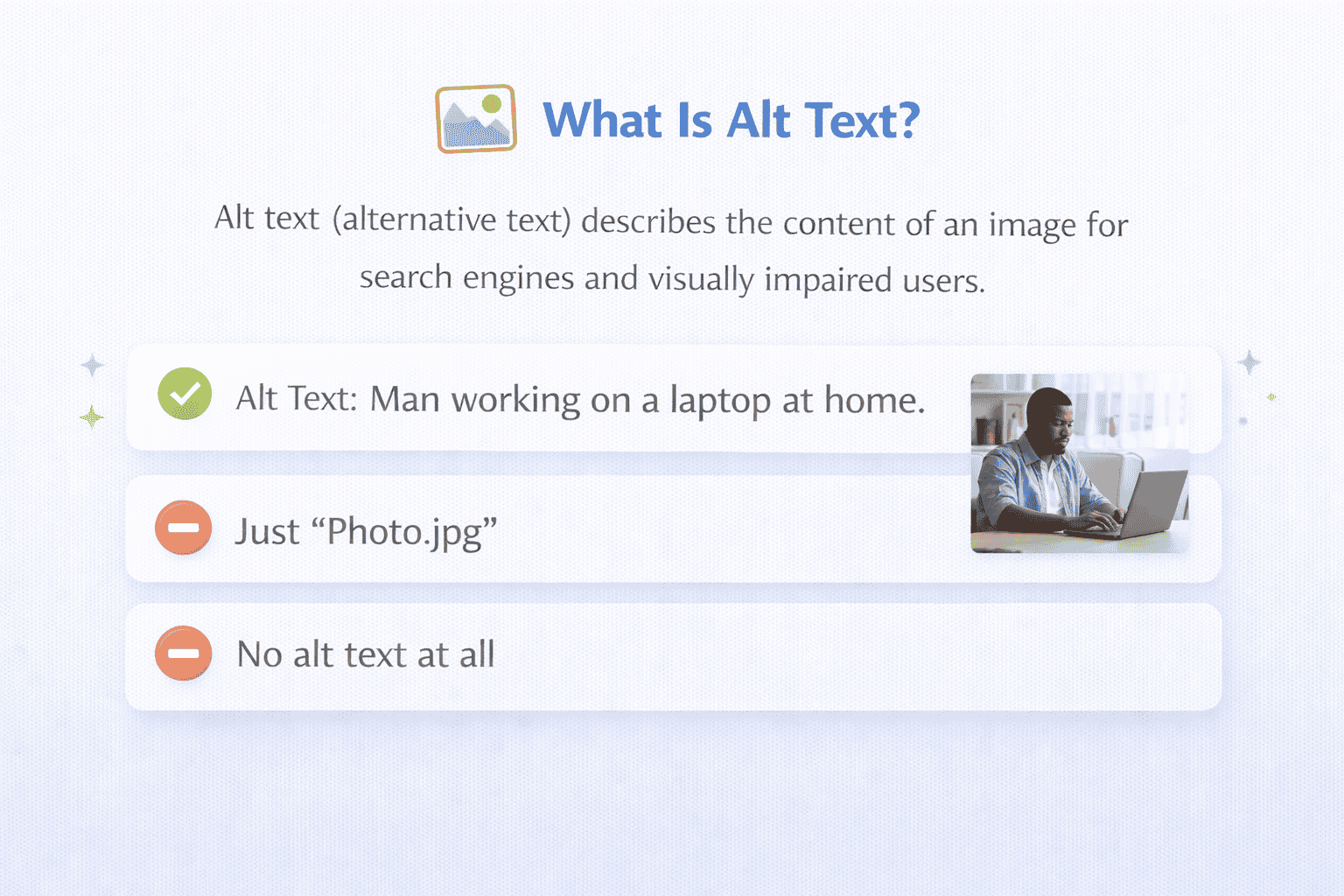
Alt text, short for alternative text, is a written description added to an image’s HTML code. It describes the content and purpose of an image when the image cannot be displayed or when a user relies on a screen reader.
Example:
<img src=”seo-image.jpg” alt=”SEO optimization process for websites”>
If the image fails to load or a visually impaired user uses a screen reader, the alt text explains what the image represents.
Why Is Alt Text Important?
Alt text is not only a technical must; it is also one of the main aspects that enhance accessibility, improve SEO performance, and enhance user experience, as well as ensure compliance with the law. Alt text, when applied appropriately, can help your site be more inclusive and searchable and assist users in comprehending visual information even when graphics are not present.
1. Accessibility
The first and most significant use of alt text is accessibility. Screen readers are used by blind people to navigate the internet. Screen readers do not process pictures, and therefore, they read the alt text aloud to explain what the picture entails.
In the absence of alt text, the user is not placed in a position to access the significant information that has been communicated using graphics like charts, buttons, pictures of products, or infographics. Effective use of alt text means that everyone, irrespective of their physical capability, is able to view and comprehend what you are talking about.
2. SEO Benefits
Images are not visible to the search engines as human beings are. Rather, they use textual cues to decode image meanings. Search engines such as Google are given this very important information through the alt text.
- It helps when you write descriptive and keyword-relevant alt text:
- The search engines know what the image entails.
- Increase position on Google image search.
Enhance the relevancy of your page to the specific keywords.
3. Better User Experience
The use of alternative text improves the user experience when they are not able to access images due to low internet connection, technical glitches, or impaired images. Users can read the alt text and have the impression of what the image was intended to depict, and not a broken image icon.
It can be of particular use to:
- Slow network or wobbly network users.
- Limited data on mobile users.
- Blocking browsers that default to images.
4. Legal Compliance
The laws and guidelines of accessibility that have been adopted in most countries have required websites to be made accessible to the disabled. Web standards such as WCAG (Web Content Accessibility Guidelines) and laws such as the ADA (Americans with Disabilities Act) point towards the need to have alternative text to images.
Websites failing to meet the standards of accessibility may be exposed to:
- Legal notices or lawsuits
Penalties or fines - Damage to brand reputation
Through the appropriate use of alt text, the website owners will have an opportunity to minimise risks linked to lawsuits and show their interest in accessibility and social responsibility. Alt text serves to ensure compliance and also has the advantage of helping in SEO and user experience.
How Alt Text Works in SEO
Search engines use alt text to:
-
Understand image relevance
-
Rank images in Google Image Search
-
Associate images with surrounding content
-
Improve the topical authority of a webpage
Well-written alt text can indirectly boost your page’s organic visibility by improving engagement and accessibility signals.
Alt Text Examples (Good vs Bad)
Example 1: Product Image
Bad Alt Text:
Good Alt Text:
Example 2: Blog Image
Bad Alt Text:
Good Alt Text:
Example 3: Decorative Image
Correct Usage:
alt=""Best Practices for Writing Alt Text
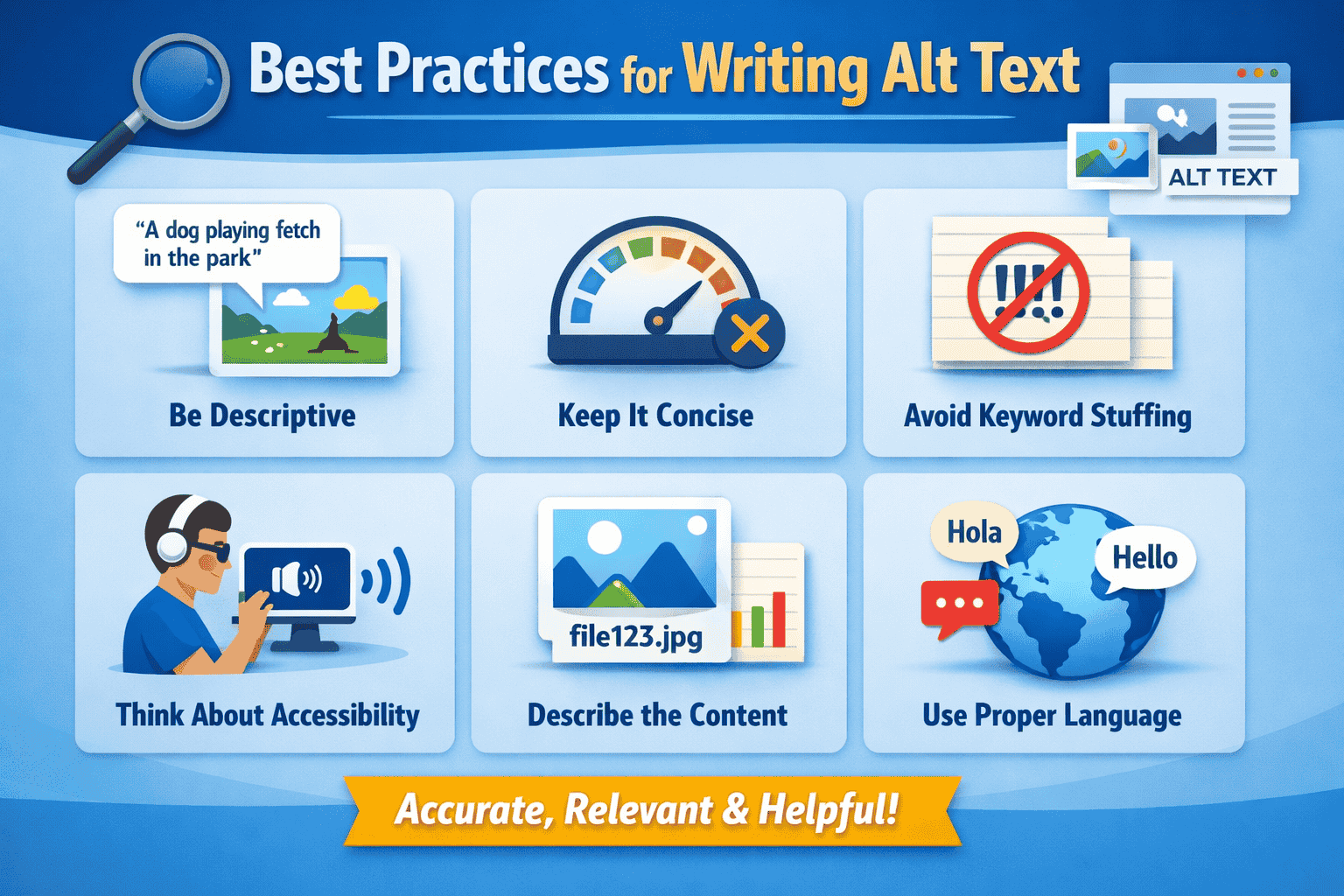
Following best practices ensures your alt text is effective for both users and search engines.
1. Be Descriptive but Concise
Alt text should clearly describe the image in 125 characters or less.
Example:
2. Focus on Image Purpose
Describe what the image does, not just what it looks like.
Example:
3. Use Keywords Naturally
Including keywords is good, but they must fit naturally.
Correct:
Wrong:
4. Avoid “Image of” or “Picture of.”
Screen readers already announce images.
Wrong:
Correct:
alt="Laptop displaying website analytics dashboard"
5. Correlate Alt Text and Page Content.
Alt text must be connected with the subject of the page and its adjacent contents. When the alt text is the same as the subject of the page, it will assist the search engines in comprehending the image relevancy and enhance the search engine optimization. It also provides the users of screen readers with proper and relevant information.
6. Use Proper Grammar
The alt text is to be composed in straightforward and natural words with proper grammar. Good structured sentences are better in insight and accessibility because alt text is read aloud by the screen readers. There is no stuffing of keywords or incomplete phrases.
7. Write Unique Alternative Text per Image.
It must have an alternate text in every image. Replicating such an alt text in more than one image will lead to confusion of the user and decrease the value in search engines. Categories To facilitate easy search, unique descriptions are made so that search engines and users can know what is in the picture.
Alt Text Examples for Different Use Cases
1. Blog Images
2. E-commerce Products
3. Infographics
4. Icons
5. Buttons
Common Alt Text Mistakes to Avoid
Many websites fail to benefit from alt text because of common errors.
1. Leaving Alt Text Empty (When It’s Needed)
Important images without alt text reduce accessibility and SEO value.
2. Keyword Stuffing
Overloading alt text with keywords looks spammy and harms SEO.
❌ Example:
3. Writing Too Long Descriptions
Alt text should not be a paragraph.
4. Using File Names as Alt Text
❌ Example:
5. Misleading Descriptions
Alt text must accurately describe the image.
6. Ignoring Decorative Images
Decorative images should have empty alt text, not unnecessary descriptions.
Alt Text vs Title Attribute
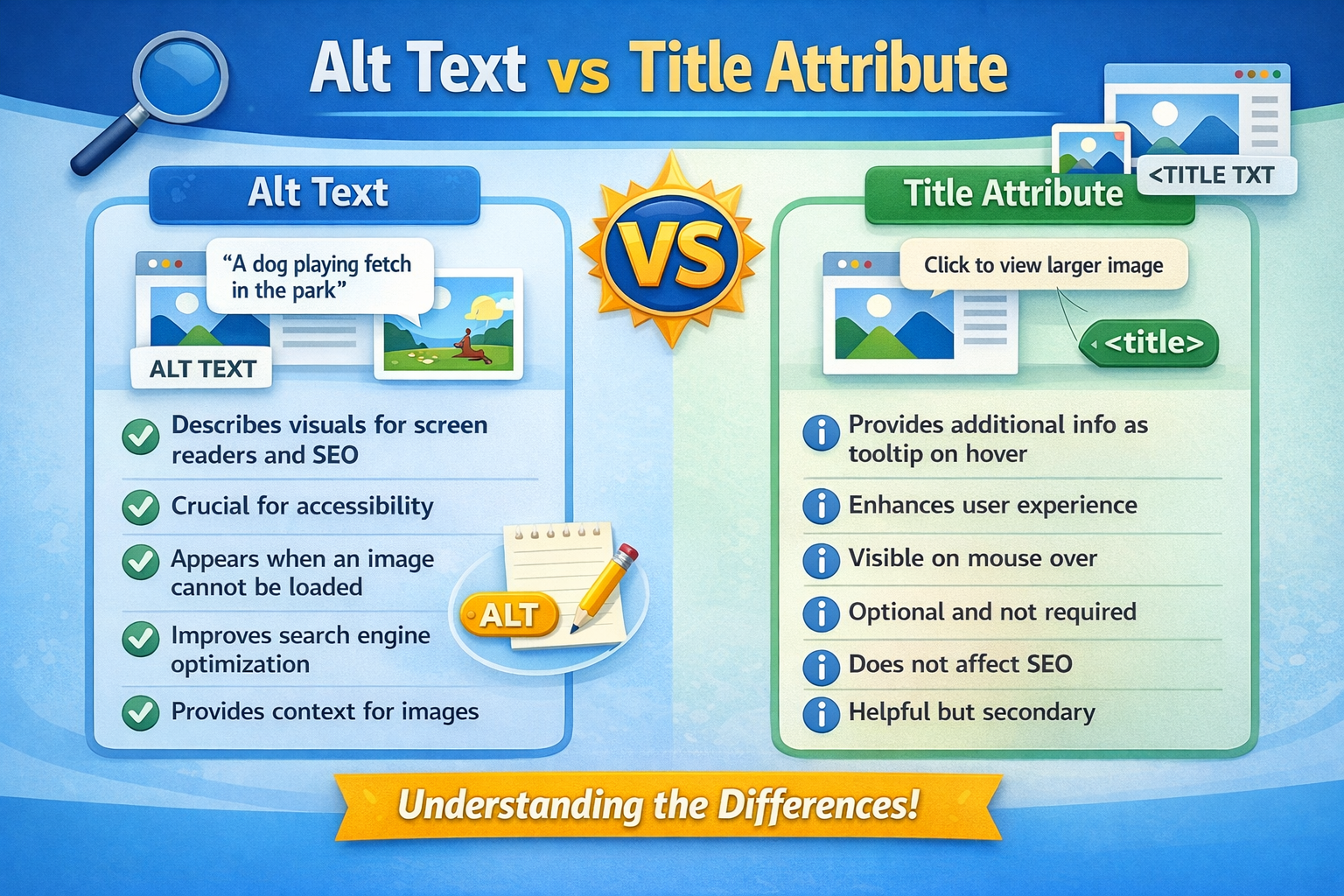
Many people confuse alt text with the title attribute.
| Feature | Alt Text | Title Attribute |
|---|---|---|
| Accessibility | ✅ Yes | ❌ No |
| SEO Value | ✅ High | ❌ Low |
| Screen Readers | ✅ Read | ❌ Optional |
Alt text is far more important for SEO and accessibility.
How to Add Alt Text (Step by Step)
In HTML
In WordPress
-
Upload image
-
Click image
-
Add description in the Alt Text field
-
Save
In Shopify
-
Open product image
-
Click “Add alt text.”
-
Save changes
Alt Text for Accessibility (WCAG Guidelines)
According to WCAG:
-
All informative images must have alt text
-
Decorative images should have empty alt attributes
-
Text inside images must be described
Conclusion
Examples of alt text are a tiny but a formidable factor, which has a big effect on accessibility, search engine optimization, and user experience. Effective alt text is not only filling in a field but is actually a reflection of thought and purposeful description of whatever the image you are working with that uses appropriately correct grammar and is not repeated by any other image.
You not only make your site usable by the visually impaired by taking best practices and avoiding the pitfalls but also enhance your search engine presence and also provide a better experience to everyone who comes to your site.

