
On-Page SEO refers to optimizing the content and elements on a single web page to help it rank better in search engines and provide a good experience to users. It focuses on things you can control directly, like text, headings, images, and page structure.
Example:
If you write a blog about “Best Running Shoes” and:
- use this keyword in the page title,
- add clear headings,
- write helpful content, and
- include image alt text like “best running shoes for men”,
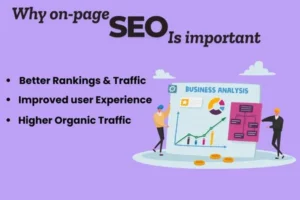
Why On-Page SEO Is Importants
On-page SEO is important because it helps search engines understand what your webpage is about and how relevant it is to a user’s search. By optimizing elements like titles, headings, content, and internal links, you make it easier for search engines to index your page correctly and rank it for the right keywords. At the same time, good on-page SEO improves user experience by making content clear, well-structured, fast to load, and easy to read. When users have a better experience, they stay longer and engage more, which further signals to search engines that your page is valuable and trustworthy.
Helps search engines understand the content and purpose of your webpage
Improves rankings for relevant keywords
Enhances user experience through clear structure and readable content
Increases click-through rates with optimized titles and meta descriptions
Reduces bounce rate by providing useful, well-organized information
Builds a strong foundation for overall SEO success
On-Page SEO Checklist
Keyword Optimization
Keyword optimization is the first step of on-page SEO. A primary keyword should be selected and used naturally in the title tag, headings, URL, and content. This helps search engines understand what the page is about and improves visibility for relevant searches.
Title Tag and Meta Description
The title tag is the clickable headline shown in search engine results, and it should include the main keyword. The meta description provides a brief summary of the page and encourages users to click. Both play an important role in improving click-through rate (CTR).
Heading Structure (H1, H2, H3)
Using proper headings helps organize content clearly. The H1 tag should contain the main topic of the page, while H2 and H3 tags divide content into sections. This improves readability for users and helps search engines understand content hierarchy.
Quality Content High-quality, original, and informative content is essential for on-page SEO. Content should answer the user’s query, match search intent, and provide value. Good content keeps users engaged and improves rankings.
URL Optimization SEO-friendly URLs are short, clear, and include relevant keywords. Clean URLs are easy for users to understand and help search engines index pages more effectively.
SEO-Friendly Title Tag
An SEO-friendly title tag is the title of a web page that appears in Google search results. It helps search engines understand the page content and attracts users to click. A good title tag uses the main keyword, is short, and clearly explains the page topic.
Example:
SEO Checklist for Beginners
Beginner-Friendly / Teaching Style
A title tag is an HTML element that tells search engines what a page is about. When written in an SEO-friendly way, it improves rankings and click-through rate. The title should include the main keyword, stay within 60 characters, and be easy to read.
Example:
On-Page SEO Guide: Simple Tips for Beginners
Professional / Blog Style
An SEO-friendly title tag plays a crucial role in on-page optimization. It acts as the first impression of your page in search results. By placing the primary keyword naturally and keeping the title concise, you can improve both visibility and user engagement.
Example:
SEO Audit Checklist to Improve Website Rankings
Short Exam / Notes Style
An SEO-friendly title tag is a short, keyword-optimized page title that helps improve search engine rankings and user clicks.
Example:
Technical SEO Checklist
Marketing / Click-Focused Style
An SEO-friendly title tag is designed to rank well and grab attention. It combines keywords with clear, attractive wording to encourage users to click on your page.
Example:
SEO Checklist That Actually Improves Google Ranking
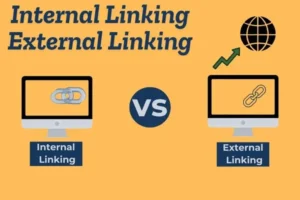
Internal Linking and External Linking
Internal and external linking play an important role in improving website SEO and user experience. These links help search engines understand the relationship between different pages and provide users with easy access to relevant information.
Internal Linking
Internal linking refers to linking one page of your website to another page on the same website. It helps search engines crawl and index your pages more efficiently and shows which pages are most important.
Good internal linking also improves website navigation and keeps users engaged by guiding them to related content.
Benefits of Internal Linking
Improves website structure and navigation
Helps search engines discover new pages
Distributes link authority across the website
Increases user engagement and time on site
External Linking
External linking means linking your content to other relevant and trustworthy websites. These links provide additional value to users and increase the credibility of your content.
Search engines consider external links as a signal that your content is well-researched and connected to reliable sources.
Benefits of External Linking
Builds trust and credibility
Helps search engines understand content relevance
Provides extra useful information to users
Strengthens overall SEO quality
Meta Description Optimization
To optimize a meta description, include the primary keyword naturally without forcing it or repeating it. The description should be between 150–160 characters to avoid being cut off in search results. Adding a clear call-to-action (CTA) like “Learn more,” “Buy now,” or “Get started” can make the description more engaging. Each page must have a unique meta description that highlights the value or benefits of the content, such as “Free tips,” “Easy guide,” or “Best offers.” Avoid using the same meta description for multiple pages, as this can reduce visibility and affect rankings.
Ameta description is a short summary shown in search results
It should clearly describe the page content
Include the primary keyword naturally
Keep it between 150–160 characters
se a strong call-to-action (CTA) like “Learn more” or “Buy now”
Make it engaging to improve click-through rate (CTR)
Each page must have a unique meta description
Avoid duplicate meta descriptions across pages
Highlight benefits or value to attract users
Proper Use of Headings (H1, H2, H3)
Using headings correctly helps both search engines and users understand your content structure. Headings act like a roadmap of your page, making it easier to read and easier to rank.
H1 (Main Heading)
- Use only one H1 per page
- It should clearly describe the main topic
- Include your primary keyword
- Usually the page or blog title
Example:
<h1>On-Page SEO Checklist for Beginners</h1>
H2 (Subheadings)
- Used for main sections under H1
- Break content into clear parts
- Can include secondary keywords
Example:
<h2>Why Headings Matter for SEO</h2>
<h2>Best Practices for Using Headings</h2>
H3 (Sub-sections)
- Used under H2 to explain details
- Improves readability and structure
- Helpful for long content
Example:
<h3>How Headings Improve User Experience</h3>
<h3>Common Heading Mistakes to Avoid</h3>
Best Practices:
- Follow a logical order (H1 → H2 → H3)
- Don’t skip heading levels
- Avoid keyword stuffing
- Keep headings clear and meaningful
Why It’s Important for SEO:
Proper heading usage improves content clarity, user experience, and helps search engines understand what your page is about—leading to better rankings.
Keyword Research and Usage
Keyword research and usage is a crucial part of on-page SEO. Keyword research involves identifying the words and phrases that users type into search engines when looking for information, products, or services. By selecting relevant and high-traffic keywords with low to medium competition, website owners can target the right audience and improve their chances of ranking higher in search engine results.
Keyword usage refers to placing these selected keywords naturally within the webpage. The primary keyword should appear in important areas such as the title tag, headings, URL, meta description, and body content without overuse. Proper keyword usage helps search engines understand the page topic while maintaining readability and a positive user experience. Avoiding keyword stuffing and focusing on user intent ensures better engagement and long-term SEO success.
Identifying relevant keywords that users commonly search for
Analyzing search volume and competition to choose effective keywords
Selecting one primary keyword and related secondary keywords
Using keywords naturally in the title tag and meta description
Placing keywords in headings (H1, H2, H3) for better structure
Including keywords in the URL and body content
High-Quality and Useful Content
High-quality and useful content is the foundation of any successful website. No matter how well your site is optimized, it will not rank well if the content does not provide real value to users. Search engines like Google aim to show content that helps people, not content that is written only for rankings.
When users visit a page, they are looking for clear answers, solutions, or guidance. If your content delivers exactly that, users stay longer, trust your website, and are more likely to return.
What Is High-Quality Content?
High-quality content is content that is original, clear, and informative. It explains a topic in a way that is easy to understand, even for beginners. Good content is well-structured, free from errors, and focused on one main topic instead of many unrelated ideas.It also uses keywords naturally, without forcing them into every sentence. This makes the content feel human, not robotic.
What Makes Content Useful for Users?
Useful content directly answers the user’s search query. It understands the user’s intent and provides information in a helpful and practical way. This can include step-by-step explanations, examples, tips, or solutions to common problems.When content is useful, users don’t need to visit another website to find answers.
How High-Quality Content Helps SEO
Search engines measure how users interact with content. If users spend more time on a page, read it carefully, and find it helpful, search engines see this as a positive signal. This helps improve rankings, visibility, and organic traffic.High-quality content also attracts backlinks naturally, which further strengthens SEO performance.
Keyword Placement in Content
Keyword placement in content means adding your target keywords in the right places so search engines understand your topic and users enjoy reading your content naturally. Good keyword placement improves rankings without making content sound forced or spammy.
The goal is not to repeat keywords again and again, but to place them smartly and naturally.
Start with the Right Keyword
Before writing content, choose one primary keyword and a few related or secondary keywords. These should match what users are searching for and fit naturally into your topic.
For example, if your primary keyword is “on-page SEO checklist”, your content should revolve around that phrase and its variations.
Where to Place Keywords in Content
The most important places to include keywords are:
Title (H1): Helps search engines understand the main topic
First 100 words: Confirms content relevance early
Headings (H2, H3): Improves structure and clarity
Body content: Use naturally within sentences
URL (if possible): Keeps it clean and SEO-friendly
Image alt text: Helps image and accessibility SEO
Use Keywords Naturally
Always write for humans first. Keywords should fit smoothly into sentences. If a keyword sounds awkward, rewrite the sentence instead of forcing the keyword.
Search engines are smart enough to understand meaning, so variations and related terms work just as well.
Avoid Keyword Stuffing
Keyword stuffing means using the same keyword too many times just to rank higher. This hurts readability and can lower rankings. Focus on quality, not quantity.
Image Optimization for SEO: Small Tweaks That Make a Big Difference
Images make your content attractive, but if they’re not optimized, they can silently damage your SEO. Slow-loading pages, unclear image data, and poor accessibility are often caused by badly handled images. The good news? A few simple improvements can fix all of this.
Image optimization is about helping users load pages faster and helping search engines understand what your images represent.
Think Speed First
Large image files slow down your website. When a page takes too long to load, users leave—and search engines notice. Always resize and compress images before uploading them. Fast pages create better user experience, and better experience leads to better rankings.
Name Images Like a Human
Search engines can’t “see” images, so they rely on text signals. File names matter more than people think. Instead of uploading images with random numbers, use clear, descriptive names that explain the image.
A good image name instantly tells search engines what the image is about.
Alt Text: Describe, Don’t Stuff
Alt text should describe the image naturally. It’s not a place to repeat keywords again and again. One clear sentence is enough to explain what the image shows. This helps both SEO and accessibility.
Use Images That Actually Help
Images should support your content, not just fill space. Screenshots, charts, diagrams, and examples add real value. If an image doesn’t help explain something, it probably doesn’t belong on the page.
Avoiding duplicate content
Avoiding duplicate content is important for maintaining strong SEO performance. Duplicate content occurs when the same or very similar content appears on multiple pages, which can confuse search engines about which page should rank. As a result, rankings may drop and search visibility can be reduced. By creating original content for each page, using proper canonical tags, and avoiding copied or repeated text, websites can help search engines clearly understand their content and improve overall SEO quality.
Optimize for Search Intent
Optimizing for search intent means creating content that directly matches what users are expecting to find when they search online. Every search query has a purpose, whether the user wants information, a solution to a problem, or guidance before making a decision. When content aligns with this intent, users are more likely to stay on the page and trust the information.
Search engines prioritize pages that satisfy user intent because they deliver a better experience. By understanding what users want and structuring content to meet those needs clearly and effectively, websites can improve engagement, reduce bounce rates, and achieve better search rankings.
Page Speed Optimization
Page speed optimization means improving how fast a web page loads for users. A fast website provides a better user experience and is a confirmed ranking factor for search engines like Google. When pages load quickly, users stay longer and interact more with the content.
Slow-loading pages often lead to higher bounce rates and lower search rankings, which makes page speed optimization essential for SEO success.
Why Page Speed Matters for SEO
Search engines prioritize websites that deliver a smooth and fast experience. Page speed affects user satisfaction, mobile performance, and overall site usability. Faster pages help search engines crawl more pages efficiently and improve organic visibility.
Key Factors That Affect Page Speed
Several elements can slow down a website if not optimized properly:
Large and uncompressed images
Excessive JavaScript and CSS files
Poor web hosting performance
Too many plugins or third-party scripts
Lack of browser caching
Best Practices for Page Speed Optimization
Improving page speed does not require complex changes. Simple optimizations can make a big difference:
Compress and optimize images
Mnfy CSS, JavaScript, and HTML files
Enable browser cachin
Use a fast and reliable hosting provider
Reduce unnecessary scripts and plugins
Page Speed and User Experience
Fast-loading pages improve user experience, especially on mobile devices. Users are more likely to stay, read content, and convert when pages load quickly. This positive behavior sends strong signals to search engines and helps improve rankings.

