
Best Free Keyword Research Tool
Finding the best free keyword research tool in 2026 is essential for anyone starting a blog, website, or online business. Keyword research is the foundation of SEO because it helps you understand what people are searching for online. Instead of guessing topics, you use real search data to create content that matches user intent. The right free tools can help beginners discover search volume, competition level, and keyword ideas without spending money on premium software.

Google Keyword Planner
Google Keyword Planner is one of the best free keyword research tools for beginners. It is part of Google Ads and provides keyword ideas directly from Google’s search data. You can see search volume ranges, competition level, and cost-per-click information. It is very useful for finding commercial and informational keywords. Even though it shows ranges instead of exact numbers, it is still highly reliable.
Google Search Console
Google Search Console helps you see which keywords your website is already ranking for. It shows clicks, impressions, average position, and click-through rate. This tool is perfect for improving existing content instead of always creating new articles. It provides real performance data from Google, which makes it very powerful for SEO.
Ubersuggest
Ubersuggest is a beginner-friendly keyword research tool. It gives keyword ideas, SEO difficulty scores, and competitor insights. The free version allows limited daily searches, but it is enough for basic research. It is easy to understand and great for checking how hard it might be to rank for a keyword.
Ahrefs Free Keyword Generator
Ahrefs Free Keyword Generator provides keyword suggestions along with search volume and keyword difficulty estimates. It is a simplified version of Ahrefs’ paid tool. This tool is excellent for finding long-tail keywords quickly. Although it does not provide full detailed data, it is very useful for beginners.
Google Trends
Google Trends shows how popular a keyword is over time. It helps you identify trending topics and seasonal keywords. You can also compare multiple keywords to see which one has more interest. While it does not show exact search volume, it is very helpful for understanding topic popularity and market trends.
Google Keyword Planner
Google Keyword Planner is one of the best free keyword research tools for beginners. It is part of Google Ads and provides keyword ideas directly from Google’s search data. You can see search volume ranges, competition level, and cost-per-click information. It is very useful for finding commercial and informational keywords. Even though it shows ranges instead of exact numbers, it is still highly reliable.
Google Search Console
Google Search Console helps you see which keywords your website is already ranking for. It shows clicks, impressions, average position, and click-through rate. This tool is perfect for improving existing content instead of always creating new articles. It provides real performance data from Google, which makes it very powerful for SEO.
Ubersuggest
Ubersuggest is a beginner-friendly keyword research tool. It gives keyword ideas, SEO difficulty scores, and competitor insights. The free version allows limited daily searches, but it is enough for basic research. It is easy to understand and great for checking how hard it might be to rank for a keyword.
Ahrefs Free Keyword Generator
Ahrefs Free Keyword Generator provides keyword suggestions along with search volume and keyword difficulty estimates. It is a simplified version of Ahrefs’ paid tool. This tool is excellent for finding long-tail keywords quickly. Although it does not provide full detailed data, it is very useful for beginners.
Google Trends
Google Trends shows how popular a keyword is over time. It helps you identify trending topics and seasonal keywords. You can also compare multiple keywords to see which one has more interest. While it does not show exact search volume, it is very helpful for understanding topic popularity and market trends.
How to Choose the Best Free Keyword Research Tool for Your Blog
To choose the best free keyword research tool, first understand your blog’s needs. If you are a beginner and want reliable search volume data, Google Keyword Planner is a good starting point. It helps you see how many people are searching for a keyword and how competitive it is.
If you already have a blog and want to improve existing articles, Google Search Console is better because it shows the keywords your site is already ranking for.
For checking keyword difficulty and getting extra ideas, Ubersuggest can help. If you want to see whether a topic is trending, use Google Trends.
The best approach is to combine tools and choose the one that fits your blog’s goals and competition level.
Best Free Keyword Research Tool for Bloggers and Small Businesses

For bloggers and small businesses who want to improve their search visibility without paying for premium tools, the best free keyword research tools are ones that give real search insights, useful keyword ideas, and clear competition signals — all without costing a dime.
Google Keyword Planner is one of the strongest options because it shows search volume ranges, competition levels, and related keyword ideas directly from Google’s data. This makes it a reliable starting point for bloggers and small business owners who need practical keyword guidance.
Google Search Console is ideal if you already have a website. It tells you which keywords your content is already ranking for and how much traffic those terms are getting, so you can optimize and expand based on real performance.
For additional keyword ideas and difficulty insights, Ubersuggest gives beginner-friendly metrics and content suggestions, even in its free version. And if you want to spot trending topics or seasonal interest, Google Trends helps you understand which topics are rising in popularity.
Best Free Keyword Research Tool: Real Examples and Case Study
Using a free keyword research tool can actually bring real traffic — if used correctly. Below is a practical explanation with a simple case study to show how beginners can rank using free tools only.
Finding the Keyword
Let’s say a beginner wants to start a fitness blog. Instead of targeting a broad keyword like “weight loss”, they use Google Keyword Planner to check search volume.
They discover:
- “weight loss tips” → High competition
- “weight loss tips for beginners at home” → Lower competition, decent volume
The second keyword is more specific and easier to rank for. This is called a long-tail keyword strategy.
Checking Difficulty
Next, they use Ubersuggest to check SEO difficulty. The broad keyword shows high difficulty, while the long-tail version shows lower competition.
This confirms the smarter choice is the long-tail keyword.
Validating the Trend
Before writing the article, they check Google Trends to see if interest is stable or growing. The trend shows consistent demand throughout the year, meaning it’s a safe topic.
Small Blog Ranking with Free Tools
A new blogger started a tech affiliate website with zero budget. Instead of using paid tools, they combined:
- Google Keyword Planner for search volume
- Ubersuggest for difficulty
- Manual Google search to analyze competitors
Instead of targeting “best laptops,” which is highly competitive, they chose:
- “best laptops for students under 500 dollars”
Within a few months:
- The article ranked on page 1 for multiple long-tail variations
- Organic traffic increased steadily
- Affiliate commissions started coming in
The key was choosing low-competition keywords, not high-volume ones.
What This Teaches Us
Free keyword research tools are enough if you:
- Focus on long-tail keywords
- Check difficulty before writing
- Analyze competitors manually
- Create high-quality, helpful content
The tool itself does not guarantee ranking. Strategy, consistency, and smart keyword selection matter more.
Top Features to Look for in the Best Free Keyword Research Tool
When choosing a free keyword research tool, focus on features that help you find valuable keywords, understand competition, and plan content that drives traffic. Here are the key features every good tool should have:

Search Volume DataThis shows how many people are searching for a keyword. A tool that provides volume (even as ranges) helps you choose terms that actually have demand.
Keyword Ideas & SuggestionsGood tools generate related keywords and long-tail variants. This expands your list and gives more content opportunities beyond your initial idea.
Competition or Difficulty MetricsKnowing how hard it is to rank for a keyword helps you prioritize easier opportunities — especially important for new blogs and small businesses.
Search Intent InsightsUnderstanding whether a keyword is informational, transactional, or navigational helps you create content that matches what users are actually looking for.
Trend AnalysisTools that show how interest changes over time (e.g., rising versus declining searches) help you pick topics with growing demand.
Real Performance Data (if available)If your site is already live, performance metrics like clicks and impressions (shown in tools like Google Search Console) help you optimize existing pages.
Ease of Use and AccessibilityA beginner-friendly interface with clear results makes research faster and less confusing — important if you’re not an SEO expert.
Tools that combine these features — like Google Keyword Planner, Google Search Console, Ubersuggest, and Google Trends — give you a well-rounded free solution for keyword research.
Best Free Keyword Research Tool vs Paid Tools:
When comparing free and paid keyword research tools, the biggest differences come down to data depth, speed, accuracy, and advanced features.
Free tools like Google Keyword Planner, Google Search Console, Ubersuggest (free version), and Google Trends are excellent for beginners and small websites because they give you basic keyword ideas, search volume ranges, and trend insights without any cost. These tools are great for finding keywords with real demand, understanding what your audience is searching for, and optimizing content you already have.
However, free tools have limitations. They often provide less precise search volume numbers, limited keyword suggestions per day, and simplified difficulty metrics. Some features, like competitor keyword analysis or backlink insights, are usually missing or very basic in free versions.
Paid keyword tools — such as Ahrefs, SEMrush, Moz Pro, and others — go much deeper. They offer larger keyword databases, more accurate volume estimates, detailed keyword difficulty scores, competitor analysis across multiple sites, rank tracking, content gap analysis, and backlink research. Paid tools also update data more frequently and often include extra features like site auditing, content optimization suggestions, and SEO dashboards.
In short:
- Free tools are perfect for beginners, bloggers, and small businesses who need reliable keyword ideas without cost.
- Paid tools are better for advanced SEO work, larger sites, agencies, and professionals who need comprehensive data and detailed competitive insights.
Best Free Keyword Research Tool for YouTube and Blog SEO (2026)
Finding the right keywords for both YouTube and blog SEO helps you get more views and organic traffic — and you don’t have to pay for expensive tools to start.

For YouTube keyword research, tools that focus on YouTube search volume and competition are most useful. For example, the vidIQ keyword tools let you discover relevant YouTube search terms, search volume estimates, and competition scores. These help you optimize video titles, tags, and descriptions so more viewers can find your content. Free YouTube keyword research sites like SEOStudio Tools and YToolHub also generate keyword suggestions, long-tail terms, and related phrases specifically for YouTube optimization.
For blog SEO, general keyword research tools like Google Keyword Planner, Soovle, and others help you find search terms used on Google. Soovle, for instance, aggregates autocomplete suggestions from multiple platforms including Google and YouTube, giving you broader keyword ideas you can use for blog posts as well as video topics.
Using a combination of YouTube-focused keyword tools (for video titles and tags) and general SEO keyword tools (for blog post topics and content planning) gives you the best results without paying for premium SEO software. This way you can optimize both your website and YouTube channel with relevant, high-demand search terms.
Best Free Keyword Research Tool That Shows Search Volume and Difficulty (2026)
If you want a free keyword research tool that shows both search volume and keyword difficulty — two of the most important SEO metrics — here are some excellent options you can use without paying:
Free Tools That Show Volume & Difficulty
SEMrush Free Keyword Tool – This free version of SEMrush lets you enter a word or phrase and instantly see related keywords along with monthly search volume and keyword difficulty scores. It also gives CPC and search intent data, helping you choose terms that balance demand and competition.
SEMrush Free Keyword Checker – A simpler SEMrush tool where you check one keyword at a time and get search volume and difficulty information without needing a paid plan.
SEOClif Free Keyword Research Tool – This free keyword generator displays search volume, difficulty, and estimated CPC for the keywords you enter — and it doesn’t require signup.
KeywordForge Pro – A newer free tool powered by real SEO data that gives you search volume, keyword difficulty, and competitor insights (powered by data sources like Ahrefs), making it useful for bloggers and small businesses.
SEO Mode Keyword Finder – Another free option that shows monthly search volume, difficulty (KD score), and trends, so you can quickly evaluate the competitiveness of keywords.
Why These Tools Matter
Search Volume tells you how many people are looking for a keyword each month, so you can pick topics with real traffic potential.
Keyword Difficulty estimates how hard it will be to rank for that keyword in search results, helping you target easier opportunities first.
Using both together — volume and difficulty — means you choose keywords that are actually worth writing about and realistic for you to rank for as a beginner or small website owner.
Best Free Keyword Research Tool for Affiliate Marketing Websites
When running an affiliate marketing website, your goal is simple: target keywords that bring buyers, not just visitors. That means you need tools that help you find commercial intent keywords, check competition, and understand search demand — all without spending money.
For affiliate marketers, Google Keyword Planner works well because it shows search volume and CPC (cost per click). High CPC usually means advertisers are paying for that keyword, which is a strong sign it can generate affiliate commissions. It helps you identify “money keywords” like best laptops under $1000 or top hosting for beginners.
If you want to check how difficult a keyword is, Ubersuggest is helpful. It provides SEO difficulty scores and keyword suggestions. This allows you to avoid highly competitive keywords and focus on long-tail phrases that are easier to rank for — especially important for new affiliate sites.
For discovering more keyword variations, Ahrefs Free Keyword Generator is useful. It quickly generates related keyword ideas, including question-based and buyer-intent keywords. These are perfect for review articles, comparison posts, and product roundups.
To confirm whether a niche is growing or seasonal, Google Trends helps you see if interest is increasing or declining. This prevents you from building content around products that are losing demand.
In affiliate marketing, the best free keyword tool is not just about traffic — it’s about finding keywords that convert. Combining these free tools gives you a smart, budget-friendly strategy to build a profitable affiliate website.
Can You Rank Using Only the Best Free Keyword Research Tool?
Yes, you can rank using only free keyword research tools — but it depends on how smartly you use them.
Free tools like Google Keyword Planner, Google Search Console, Ubersuggest (free version), and Google Trends provide enough data to find search volume, basic competition insights, and trending topics. If you focus on low-competition, long-tail keywords and create high-quality content, ranking is absolutely possible — especially for new blogs and small websites.
However, free tools have limitations. They may not provide very accurate difficulty scores, detailed competitor analysis, backlink data, or deep content gap insights. This means you’ll need to do more manual research, like checking Google search results yourself to analyze competitors.
The truth is, tools don’t rank websites — content and strategy do. Many successful bloggers started with free tools and ranked by targeting specific, less competitive keywords consistently.
So yes, you can rank using only the best free keyword research tools — especially if:
- You focus on long-tail keywords
- You understand search intent
- You create helpful, optimized content
- You publish consistently
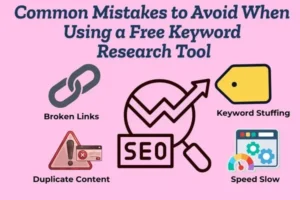
Common Mistakes to Avoid When Using a Free Keyword Research Tool
Using a free keyword research tool is a smart way to start SEO, but many beginners make mistakes that limit their results. Avoiding these common errors can help you choose better keywords and rank faster
Focusing Only on High Search Volume
Many beginners think higher search volume means better results. However, high-volume keywords are often very competitive. Instead of chasing big numbers, focus on keywords with moderate volume and lower competition. Long-tail keywords usually bring more targeted traffic and are easier to rank for.
Ignoring Keyword Difficulty
Search volume alone is not enough. If you don’t check competition or difficulty, you may target keywords that are impossible to rank for. Tools like Ubersuggest provide basic difficulty scores that help you choose realistic keywords.
Not Understanding Search Intent
One of the biggest SEO mistakes is ignoring search intent. Even if a keyword has good volume, it won’t rank well if your content does not match what users are looking for. Always check whether the keyword is informational, transactional, or navigational before creating content.
Relying on Only One Tool
No free keyword tool is perfect. For example, Google Keyword Planner shows search volume ranges but limited SEO difficulty data. Combining multiple tools gives you more accurate insights and better decision-making.
Not Checking Trends
Some keywords lose popularity over time. If you don’t verify trends, you may write content about declining topics. Google Trends helps you see whether interest in a keyword is rising or falling.
Skipping Manual SERP Analysis
Free tools provide data, but you should also manually search the keyword on Google. Check who is ranking, how strong their websites are, and what type of content appears on the first page. This gives you a realistic idea of your ranking chances.

